Build Azure Infra Through Terraform Script
AKS Architecture & Concepts - Part 1
Deploying infrastructure as code is a best practice for modern cloud engineering. In this article, we’ll walk through building foundational Azure infrastructure using Terraform with integrations for Azure DevOps and Azure Resource Manager (ARM). This includes provisioning storage, database, and Azure Key Vault, while ensuring secrets and configurations are securely managed.
Overview
We’ll address the following steps:
- Configuring Terraform Providers
- Defining and Using Variables
- Supplying Variable Values
- Provisioning Azure Resources
- Securing Secrets in Key Vault
- Integrating with Azure DevOps
1. Configure Terraform Providers
First, create a file named provider.tf. This sets up the required providers and authenticates Terraform with Azure and Azure DevOps.
terraform {
  required_providers {
    azuredevops = {
      source  = "microsoft/azuredevops"
      version = "0.1.3"
    }
    azurerm = {
      source  = "hashicorp/azurerm"
      version = "3.14.0"
    }
  }
}

provider "azuredevops" {
  org_service_url       = "https://dev.azure.com/siddhartha2303"
  personal_access_token = "personal access token here"
}

provider "azurerm" {
  features {}
}
Note:
Personal Access Tokens (PAT) for Azure DevOps can be managed in your DevOps portal.

2. Define Variables
Your variables.tf centralizes all configuration options, so your scripts are flexible and reusable.
variable "rg_name"           { type = string; description = "Resource group name" }
variable "location"          { type = string; description = "Location of resource group" }
variable "environment"       { type = string }
variable "kv_name"           { type = string }
variable "strg_name"         { type = string }
variable "strgContainer_name"{ type = string }
variable "db_name"           { type = string }
variable "dbsrv_name"        { type = string }
variable "client_secret"     { type = string }
variable "service_endpoint_id" { type = string }
3. Assign Values to Variables
Populate a terraform.tfvars file with values for your variables.
Replace placeholder values with your actual secrets.
strg_name           = "tfstorageactdemo10"
strgContainer_name  = "tfstoragecontainer"
kv_name             = "tfkvdemo-1000022"
environment         = "development"
location            = "eastus"
rg_name             = "TfDemo01"
db_name             = "tfdemodb006"
dbsrv_name          = "tfdemodbsrv006"
client_secret       = "place your client secret here"
service_endpoint_id = "your ADO service endpoint ID"
- Service endpoint ID can be found (or created) in Azure DevOps.

- For client_secret, create a Service Principal in Azure:

4. Provision Core Resources
a) Create a Resource Group
resource "azurerm_resource_group" "rg" {
  name     = var.rg_name
  location = var.location
  tags     = { environment = var.environment }
}
b) Collect Required Data & Credentials
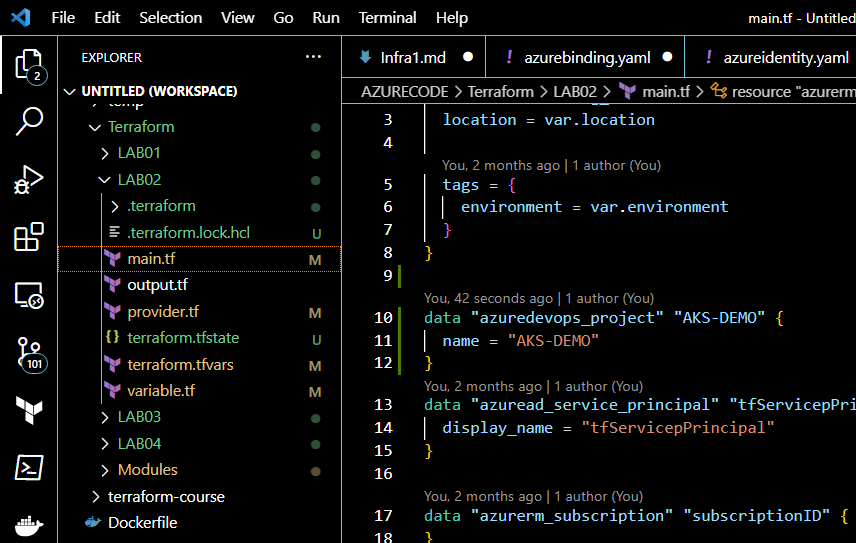
data "azuredevops_project" "AKS-DEMO" { name = "AKS-DEMO" }
data "azuread_service_principal" "tfServicepPrincipal" { display_name = "tfServicepPrincipal" }
data "azurerm_subscription" "subscriptionID" {}
data "azurerm_client_config" "current" {}
c) Create Azure Key Vault and Assign Access Policies
resource "azurerm_key_vault" "kv1" {
  depends_on = [azurerm_resource_group.rg, module.create_storage]
  name                       = var.kv_name
  location                   = var.location
  resource_group_name        = var.rg_name
  tenant_id                  = data.azurerm_client_config.current.tenant_id
  soft_delete_retention_days = 7
  purge_protection_enabled   = false
  sku_name                   = "standard"

  # Self access policy
  access_policy {
    tenant_id = data.azurerm_client_config.current.tenant_id
    object_id = data.azurerm_client_config.current.object_id
    key_permissions    = ["Get"]
    secret_permissions = ["Get", "Backup", "Delete", "List", "Purge", "Recover", "Restore", "Set"]
    storage_permissions = ["Get"]
  }
  # Service principal policy
  access_policy {
    tenant_id = data.azurerm_client_config.current.tenant_id
    object_id = data.azuread_service_principal.tfServicepPrincipal.object_id
    key_permissions    = ["Get", "List"]
    secret_permissions = ["Get", "Backup", "Delete", "List", "Purge", "Recover", "Restore", "Set"]
    storage_permissions = ["Get"]
  }
}
5. Provision Storage and Secrets
a) Call Storage Module
module "create_storage" {
  source             = "../Modules/storage"
  rg_name            = var.rg_name
  strg_name          = var.strg_name
  strgContainer_name = var.strgContainer_name
  depends_on         = [azurerm_resource_group.rg]
}
b) Store Secrets in Key Vault
Terraform stores critical information such as client ID, secret, subscription ID, storage keys, etc., securely in Key Vault after the underlying resources are ready.
resource "azurerm_key_vault_secret" "client-id" {
  name         = "client-id"
  value        = data.azuread_service_principal.tfServicepPrincipal.application_id
  key_vault_id = azurerm_key_vault.kv1.id
  depends_on   = [module.create_storage]
}
# ...Repeat for other secrets (client-secret, TenantID, SubscriptionID, strgKey1, strgKey2)
6. Database Deployment
Deploy SQL Database and Store Connection Strings in Key Vault
module "create_db" {
  source             = "../Modules/db"
  rg_name            = var.rg_name
  keyvault_name      = var.kv_name
  sql_server_name    = var.dbsrv_name
  sql_database_name  = var.db_name
  sql_admin_login    = var.dbsrv_name
  sql_admin_password = "India@123"
  depends_on         = [azurerm_resource_group.rg, azurerm_key_vault.kv1]
}
7. Integrate Azure DevOps With Secrets via Variable Groups
Finally, configure Azure DevOps to use the secrets from your Key Vault through a variable group. This enables your pipelines to consume secrets easily.
resource "azuredevops_variable_group" "azdevops-variable-group" {
  depends_on = [
    azurerm_key_vault_secret.client-id,
    azurerm_key_vault_secret.client-secret,
    azurerm_key_vault_secret.TenantID,
    azurerm_key_vault_secret.SubscriptionID,
    azurerm_key_vault_secret.strgKey1,
    azurerm_key_vault_secret.strgKey2,
  ]
  project_id   = data.azuredevops_project.AKS-DEMO.project_id
  name         = "azkeys"
  description  = "key vault keys"
  allow_access = true
  key_vault {
    name                = var.kv_name
    service_endpoint_id = var.service_endpoint_id
  }
  variable { name = "client-secret" }
  variable { name = "client-id" }
  variable { name = "TenantID" }
  variable { name = "SubscriptionID" }
  variable { name = "strgKey1" }
  variable { name = "strgKey2" }
}
Conclusion
By following the steps above, you’ve automated the provisioning of Azure resources and securely integrated secrets management and DevOps workflows using Terraform. This infrastructure is now ready to support robust AKS and DevOps CI/CD pipelines for your applications.
Stay tuned for the next article where we’ll extend this foundation to deploy Azure Kubernetes Service via DevOps pipelines!
-->